

Navigation
Navigation path: Navigate to “Employees” -> “Skills” and select the skill you want to see users that have the skill applied for. Then select the “three dot” menu and “View user list” option
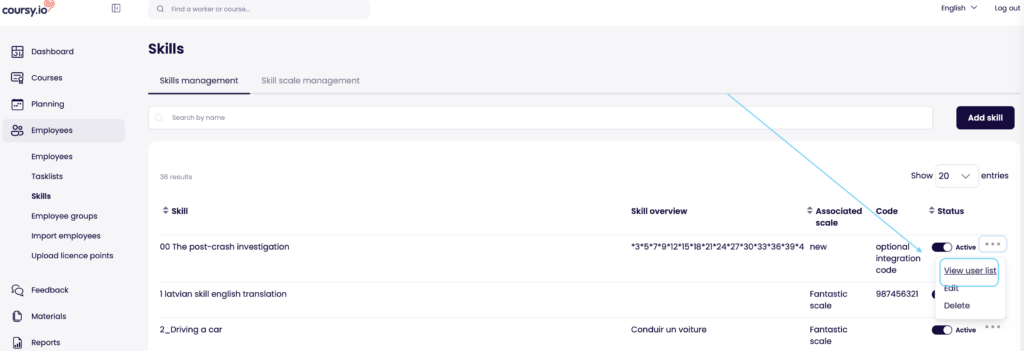
User list that are associated with the skill
- For the entire list, the average proficiency level is displayed, indicating how well this skill is developed across the list
- The list can be filtered by different parameters
- For the whole list an average proficiency level is displayed. This shows the average skill level in your company
- For each user the obtained proficiency level is displayed and depending on whether the skill is at the required proficiency or not the level scale is displayed differently
- Green: Skill proficiency is at or above the required level
- Red: Skill proficiency is below the required level