

Navigation
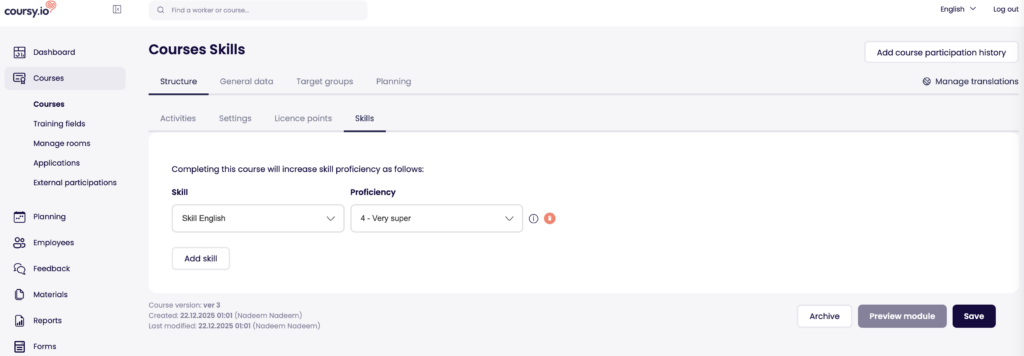
To configure course to enhance skill proficiency level automatically navigate to Courses -> Specific course -> Structure -> Specific version -> Skills
How does it work?
The basic idea is simple. Each course can enhance certain skills to certain proficiency levels. The enhancement is directly connected to the purpose and contents of the course. For example a fire safety training that raises the “Fire awareness” skill to be “Expert”. When a user completes the course, then the configured proficiency level is granted automatically.
You can configure up to 10 skills to be enhanced within each version of a course.
Setting up
- To set up you need to choose a skill and a proficiency level which will be granted to the user who completes the course
- Up to 10 skills can be chosen
- For each of the chosen skills, you are able to read the proficiency level descriptions by clicking on the tooltip icon. This helps you with finding the suitable proficiency level
- The values can be changed until someone has actually been assigned to the training. After, you need to create a new version to change the skill proficiency values